MagicKeys
MELBOURNE / BODY CORPORATE & OWNERS CORPORATIONS

Apartment security.
Connected access.

Bring foyer access, car park entrances and CCTV into one MagicKeys workspace. We work with owners corporation managers, building managers and committees to scope access control for Melbourne apartment buildings and mixed-use developments.

MagicKeys configuration example · Features and compatible equipment are confirmed for your installation.
THE BUILDING

The manager’s desk.
And the foyer screen.

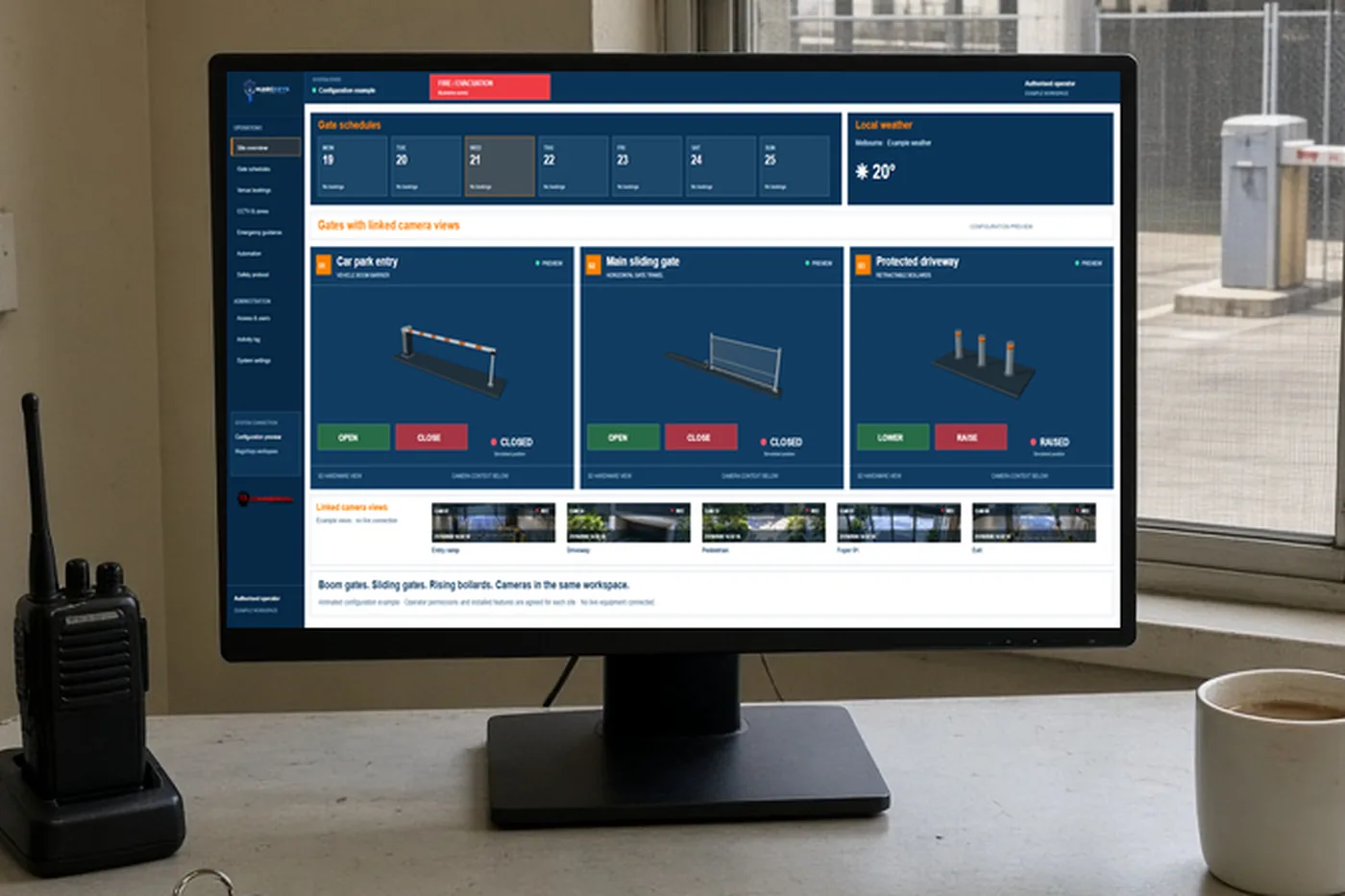
The manager works from the desk. Residents and visitors see the entrance on the screen in the foyer.

Building manager desk with MagicKeys gate controls on the monitor
Manager deskManager’s desk. The vehicle gates.

Example only. The screen is the MagicKeys workspace. This page does not open a gate.

YOUR OPERATING REQUIREMENTS

From the foyer
to the basement.

A resident entrance, visitor driveway and contractor loading area need different rules. Start with how people actually move through the building, then assess the equipment and responsibilities at each point.

Foyer anti-tailgating

An approved credential should not become an invitation for a second person to follow. Discuss overhead human tracking, direction detection and a configured clear-space entry check. Where the agreed integration supports it, the door stays locked while a following person occupies the entry zone.

Shared car park access

Connect compatible boom gates, sliding gates and rising bollards to nominated operator controls. Confirm resident, visitor and contractor access arrangements, operating schedules and available position feedback for each entrance.

Building manager visibility

Bring included CCTV views and access events into the same app. Agree who can review a foyer alert, operate a driveway barrier and change schedules, so daily management has clear responsibilities.

ASSESSMENT / INSTALLATION / HANDOVER

A proposal the committee can assess.

For an existing apartment building, share the number of entrances, current access system, camera and gate details, known tailgating concerns and the owners corporation’s priorities. We assess available interfaces before proposing changes. For a new development, involve the builder, access contractor and building manager early so detection areas, door behaviour and operating procedures are coordinated.

01

Map the entrances

Agree which doors, gates and camera views belong in the workspace, who uses them and which parts of the current installation can be retained.

02

Confirm the configuration

Define compatible connections, permissions, schedules and the expected response of each entrance before installation.

03

Commission and hand over

Check the agreed behaviour onsite, review available feedback and explain the operating workflow to nominated staff.

MELBOURNE SITE DISCUSSIONS

Local requirements.
Individual assessment.

For apartment towers and mixed-use precincts in Glen Waverley, Box Hill, Doncaster, Southbank, Docklands and across Melbourne, discuss the foyer and car park as one operating system. This approach is relevant to larger developments with shared amenities, multiple entrances and different resident, retail and contractor access needs.

Can MagicKeys work with our existing apartment access control?+

We assess the installed controllers, credentials, door interfaces, cameras and available feedback. The proposal confirms what can be retained, connected or replaced; compatibility is checked for the actual equipment.

Can a second person prevent a foyer door from opening?+

A configured anti-tailgating interlock can hold an entry request while a second person is in the detection zone. The zone must clear and the agreed access conditions must be satisfied before release. Door safety, emergency egress and detection behaviour must be assessed and commissioned for the site.

What should an owners corporation provide for a quote?+

Entrance locations, equipment details, the number of buildings, operator roles and examples of the access issues you want to resolve help us prepare a useful assessment. We can then discuss installation scope and handover with your nominated manager.

DOORS ALREADY THERE

Keep the doors.
We look at the controller.

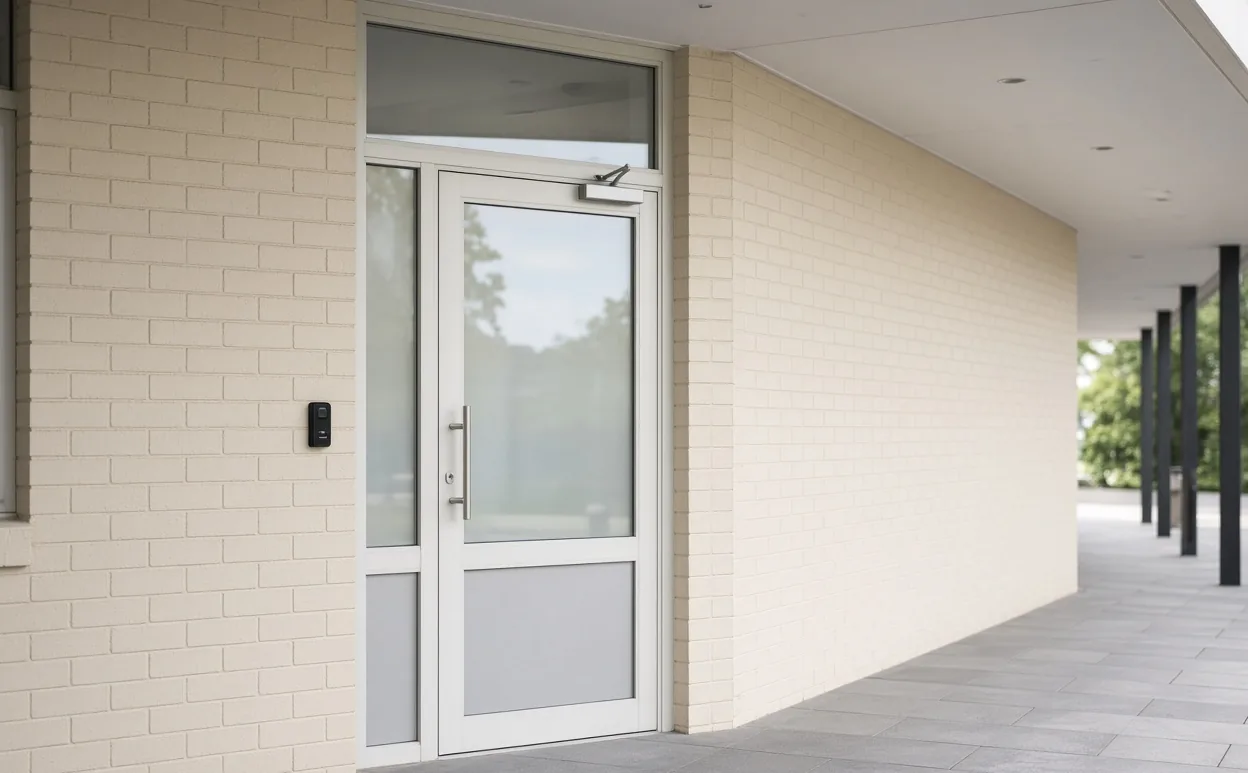
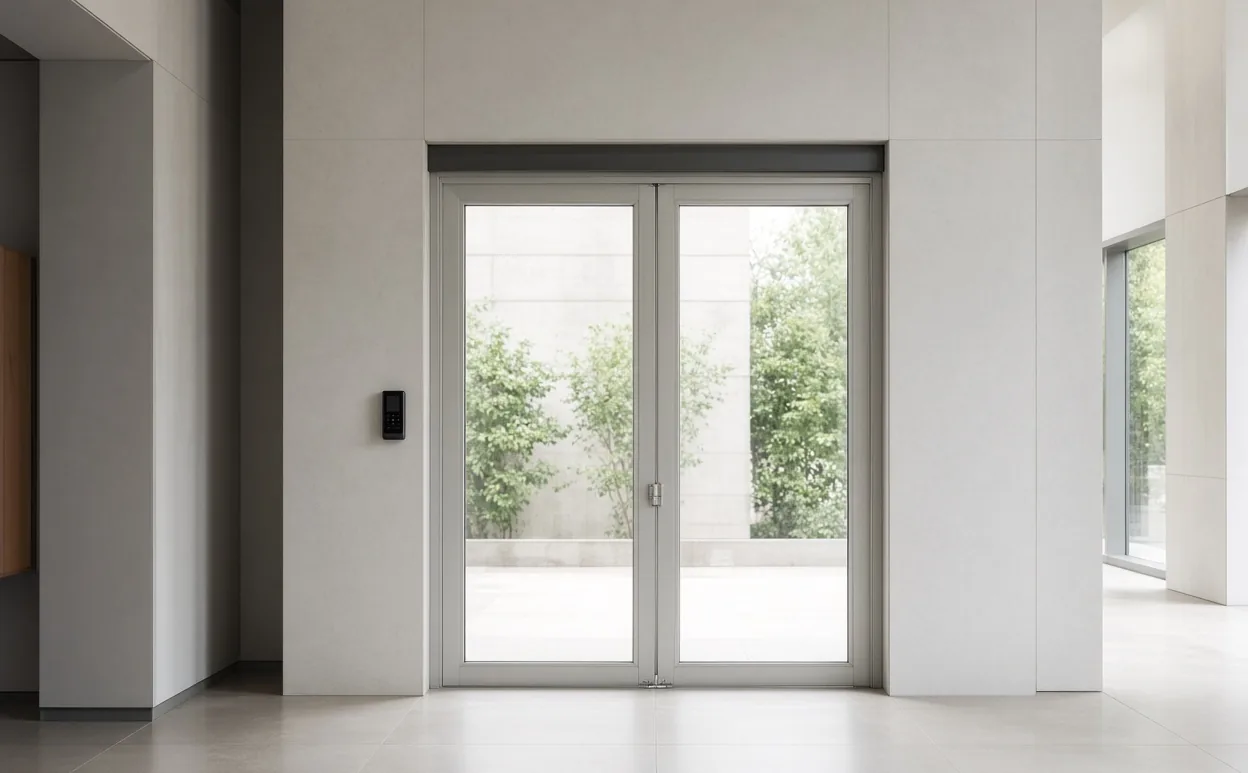
A single staff door and a double foyer door. Both are examples. We look at the controller, the readers and the locks.

Example of an existing single staff door with a card reader
Single staff doorA door, reader and closer already on the building. The picture does not say which controller is behind the wall.
Example of existing double glass foyer doors with a card reader
Double foyer doorsA two-leaf glass door. You see this in a school hall or an apartment foyer.

We confirm the readers and the door controller on the doors you already have. We cannot promise that every door or every brand will connect.

YOUR NEXT STEP

Tell us about your entrances.

Call 0400 101 132 or share your location, equipment and priorities. The team will discuss a suitable MagicKeys assessment.

Discuss your requirements

PRIVACY INFORMATION

Your visit, explained.

This website does not use analytics, advertising trackers or browser storage. The interactive demonstration runs in your browser and does not send gate commands or save your actions.

Contact links open your device’s phone app or RJL Commercial’s separate website. Any information you provide there is handled separately.

Client sign-in takes place in the existing MagicKeys portal. That portal handles account information separately. This advertising website does not collect passwords. Our hosting provider may record standard request and security logs.

For questions about your account or personal information, contact RJL Commercial through its website.