
MagicKeys
SITE-SPECIFIC EMERGENCY GUIDANCE

Clear instructions.
An agreed response.

Discuss a package that brings staff confirmation, visual messages and configured gate responses into your site’s agreed procedures. Equipment, layout and commissioning shape the final scope.

Emergency Guidance package example · Site instructions and scope are agreed for the installation.
OPTIONAL / EMERGENCY GUIDANCE

MagicKeys
Emergency Guidance.

From the first prompt
to a clearer way forward.

Bring staff confirmation, projector messages and configured gate responses into an agreed site plan. The package is tailored to your layout, equipment and procedures.

  • A visual prompt for staff to assess
  • Configured evacuation and route screens
  • Gate responses checked against site feedback
Discuss your site’s package
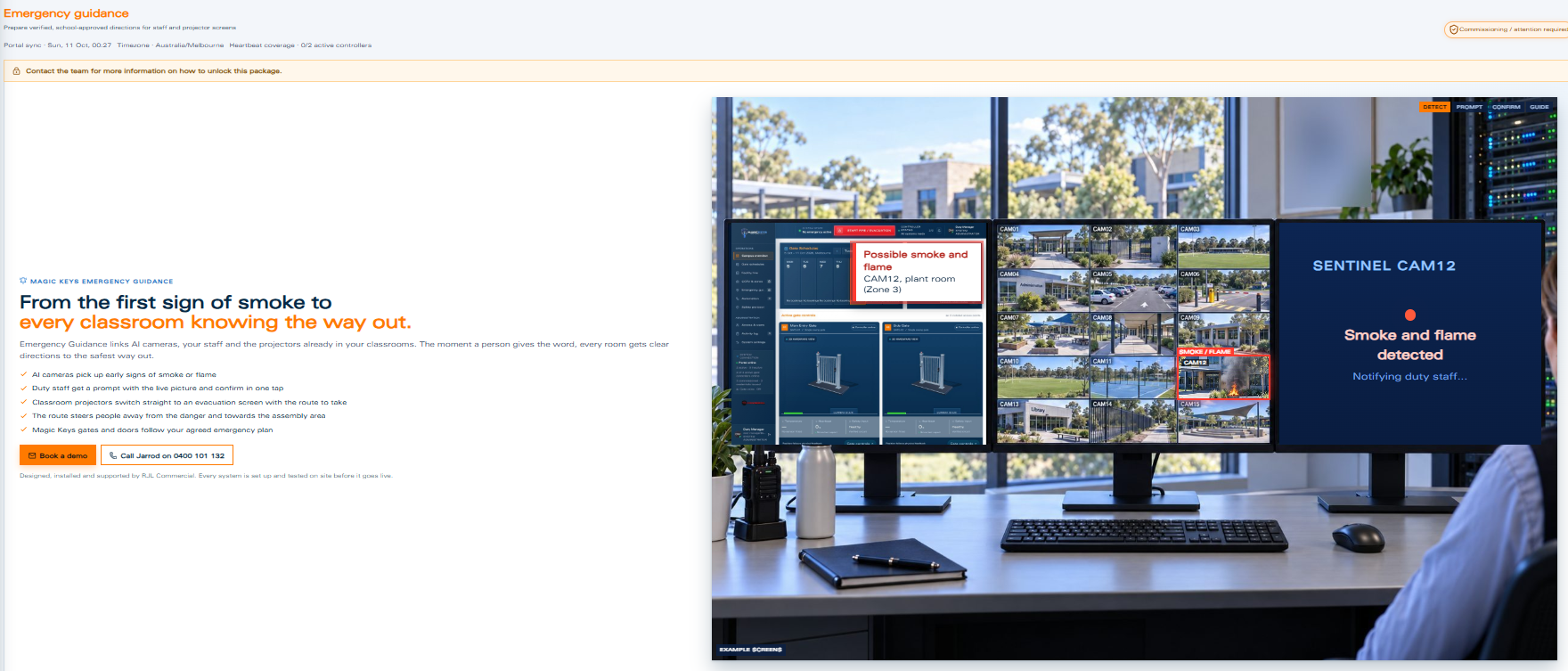
Illustrative workstation with a fire detection prompt and staff confirmation
A detection prompt gives staff visual context before an agreed response is confirmed.

Illustrative example screens · Package scope and responses are agreed for each site.

BUILT AROUND YOUR PROCEDURES

Plan the workflow
before it is needed.

The team works through your site requirements and available equipment to define a practical package.

01

Staff confirmation

Agree which prompts staff need to review and who is authorised to confirm the next step.

02

Messages for your location

Discuss projector messages and route guidance that reflect the site’s agreed instructions and assembly arrangements.

03

Configured equipment responses

Assess connected gate controllers and available feedback. Requested movements and reported responses remain distinct.

AI threat and fire detection is in development.

The developing AI-assisted module uses a proposed human review and acknowledgement workflow. Its availability will be confirmed separately.

Explore the development programme
YOUR NEXT STEP

Talk through your site’s requirements.

The team will assess the equipment and discuss an Emergency Guidance package around your agreed procedures.

Discuss your requirements

PRIVACY INFORMATION

Your visit, explained.

This website does not use analytics, advertising trackers or browser storage. The interactive demonstration runs in your browser and does not send gate commands or save your actions.

Contact links open your device’s phone app or RJL Commercial’s separate website. Any information you provide there is handled separately.

Client sign-in takes place in the existing MagicKeys portal. That portal handles account information separately. This advertising website does not collect passwords. Our hosting provider may record standard request and security logs.

For questions about your account or personal information, contact RJL Commercial through its website.